


// case study
Enrollment, schedule, and payments in one system.
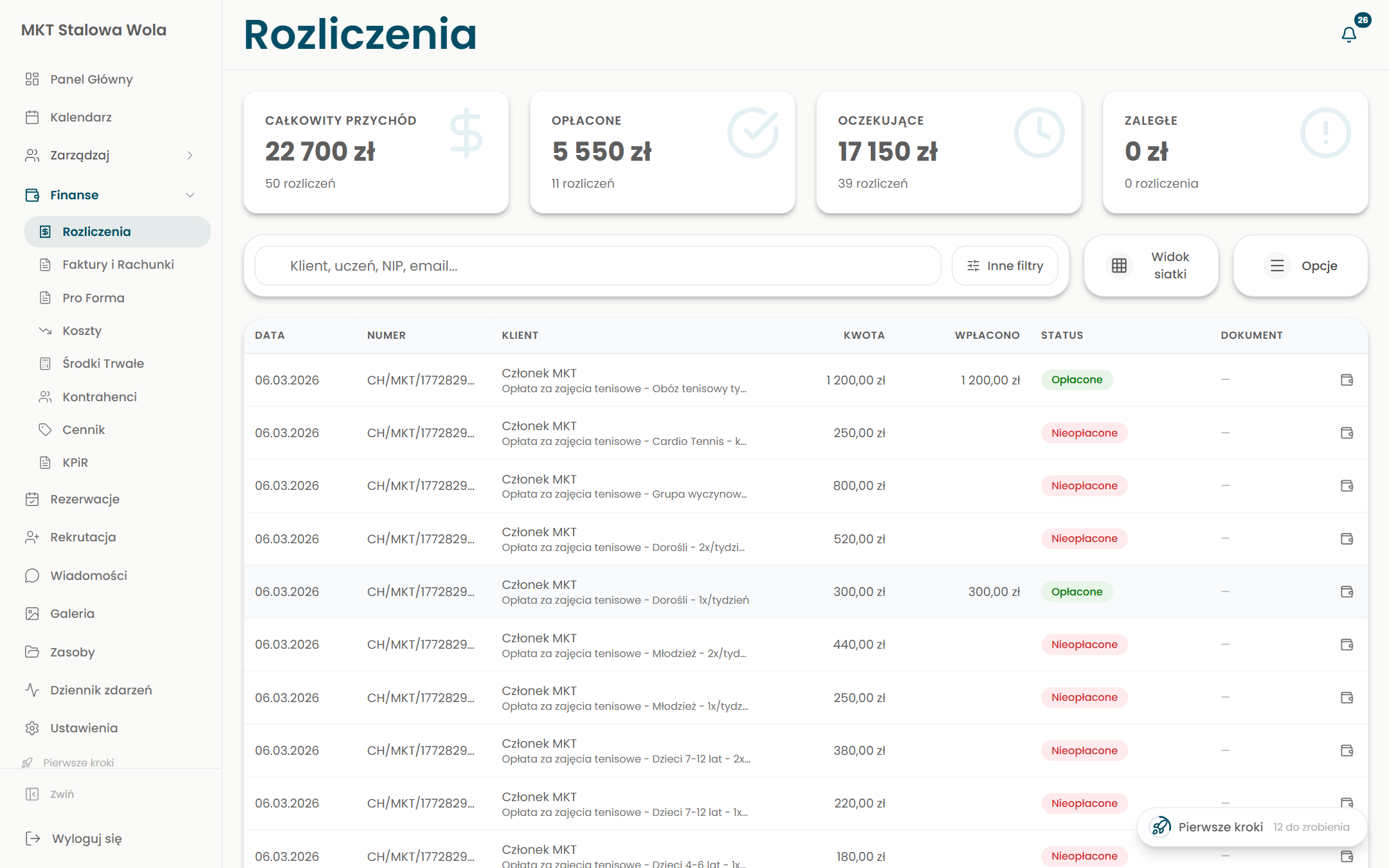
VibeClass is our in-house system (SaaS) with a mobile app for running an education and sports facility. It runs the facility from student enrollment to paid classes. Calendar and reservations, participants and groups, attendance, invoicing and online payments, recruitment, and messaging. Everything in one place, for the owner, the instructor, and the parent.
// the challenge
A facility juggling many tools at once
Dance schools, sports clubs, and activity centers handle enrollment, schedule, attendance, tuition, and messaging across several separate tools. Spreadsheets, chat apps, and a separate program for invoices. Data drifts apart, arrears slip through, and neither the parent nor the instructor has a single place. What was needed was one system for the whole facility.
// the solution
One system for the whole facility
We built VibeClass, an in-house system (SaaS) with a mobile app that runs a facility from enrollment to paid classes. Calendar and room reservations, participants and groups, attendance, grades and hours, invoicing with online payments via Stripe, recruitment, gallery, and messaging. All split across owner, instructor, and parent roles.
// the core
Enrollment, schedule, and payments tied together
It is one coherent system in which the participant, the classes, attendance, and payment are all linked. The owner sees payments and arrears, the instructor marks attendance, and the parent has everything in the app, with no retyping between tools.
Three roles, one truth
Owner, instructor, and parent. Each has their own panel and mobile app, on the same data.
Linked data
A student’s enrollment feeds the schedule, attendance, and payment, with no double entry.
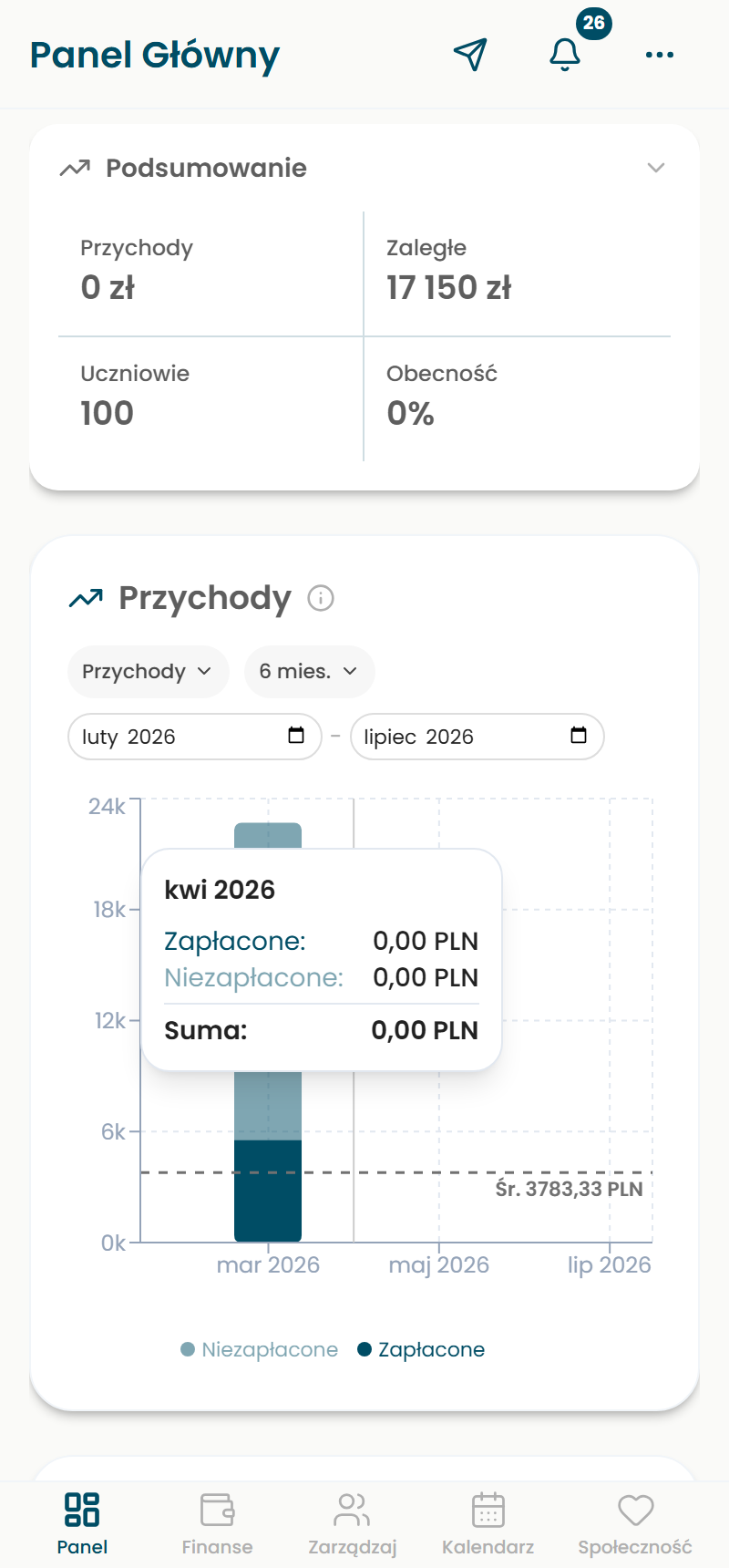
Facility dashboard
Payments, arrears, attendance, and system adoption right after you log in.
Fast onboarding
First steps and an adoption metric walk the facility through the start.
// modules
What VibeClass delivers
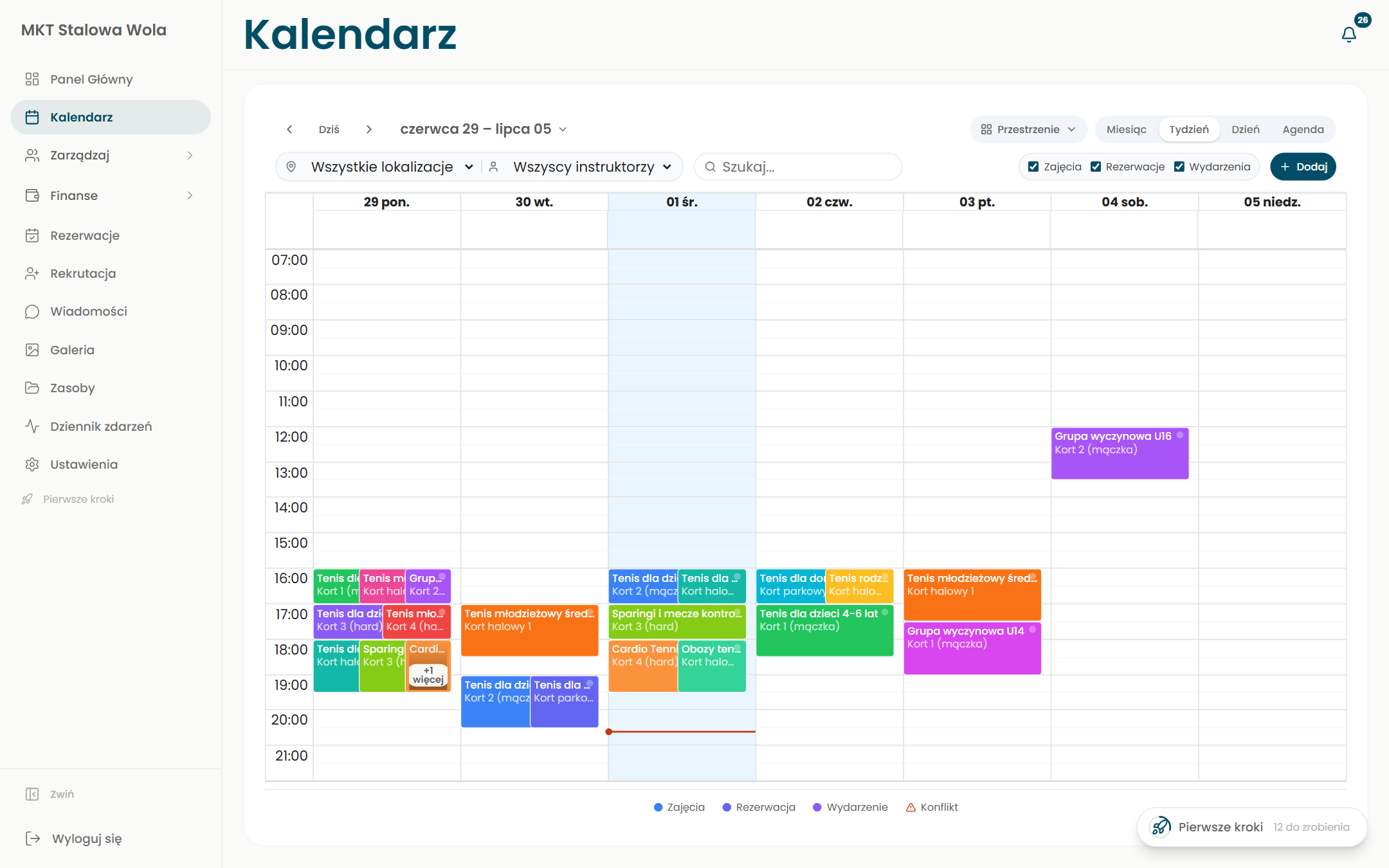
Calendar and reservations
Class schedule, room and court reservations, month, week, and day views with conflict detection.
Participants and groups
Students with parents, groups and levels, statuses, and class assignments, like a lightweight CRM.
Attendance, grades, and hours
The instructor marks attendance, fills in the grade book, and logs hours.
Invoicing and payments
Billing, invoices and a price list, online payments via Stripe, and control over arrears.
Recruitment and online enrollment
Enrollment forms and a recruitment funnel, from prospect to enrolled student.
Messaging, gallery, resources
Messages to parents, push notifications, a photo gallery, and materials attached to groups.
// full scope
Everything one facility needs
It is not a single screen, it is a dozen connected modules. The full picture of what VibeClass takes on.
Facility management
- Classes and groups
- Participants and parents
- Instructors
- Attendance
- Hours tracking
- Contracts
- Tasks
- Grade book
Calendar and reservations
- Class schedule
- Room and court reservations
- Month, week, day and agenda views
- Conflict detection
- Events and shows
- Multiple spaces and filters
Invoicing and payments
- Billing and tuition
- Invoices and receipts
- Pro forma
- Price list and packages
- Online payments via Stripe
- Arrears control and reminders
Communication and onboarding
- Online enrollment and CRM
- Recruitment funnel
- Messages and push notifications
- Gallery and resources
- Event log
- Community
- Roles and permissions
- Onboarding and adoption tracking
// calendar
A schedule that tames the chaos of rooms and groups
The heart of the facility. One calendar for classes, reservations, and events, with multiple rooms and instructors.
Month, week, day, agenda views
The schedule the way you need it.
Many rooms, courts, and spaces
All resources in a single view.
Classes, reservations, and events
Three types on one schedule, color-coded.
Conflict detection
The system warns you before an overlap happens.
Filters by location and instructor
Narrow it down to what matters to you.
Room and court reservations
Not just classes, also renting out spaces.
// mobile app
The whole facility in your phone
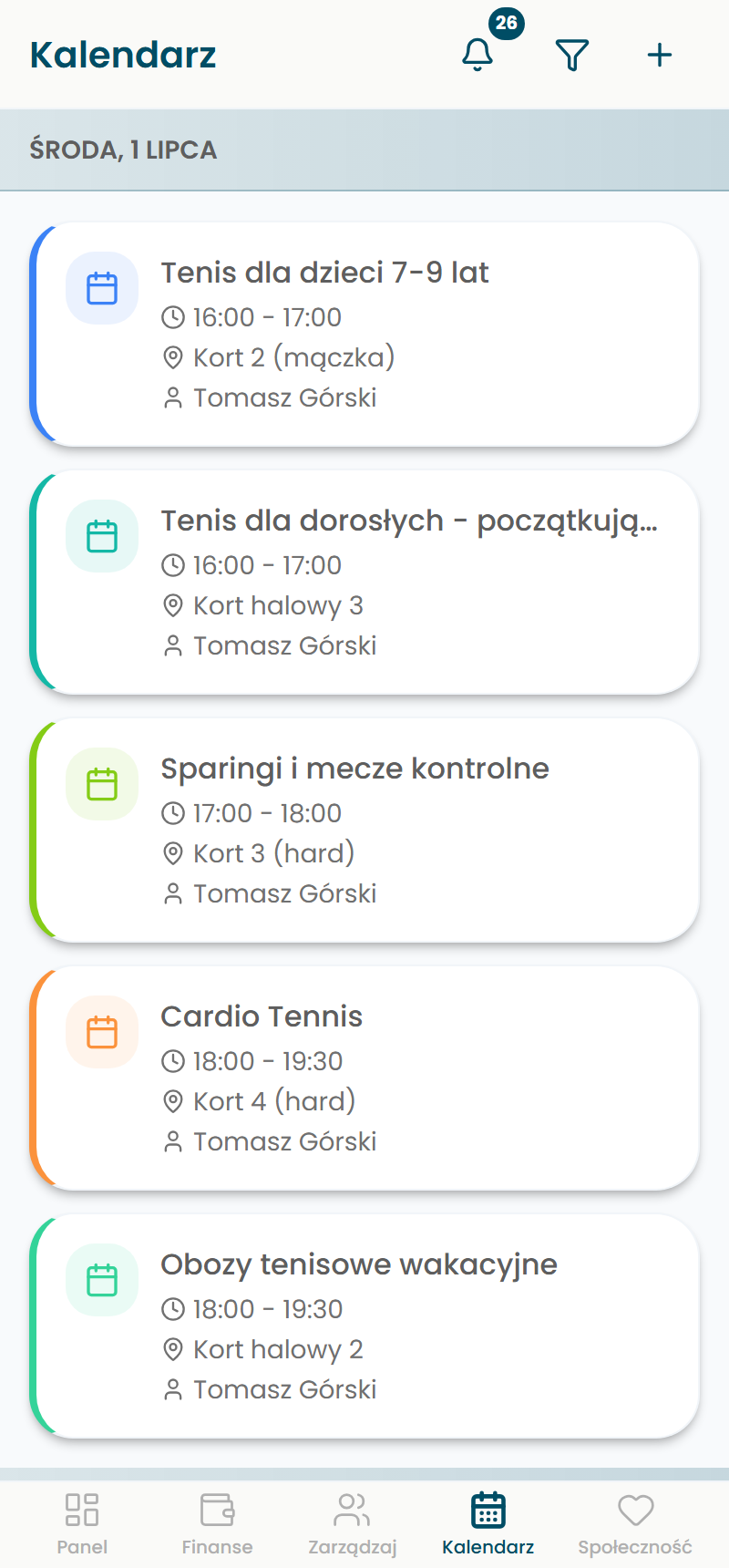
An app for iOS and Android for the owner, the instructor, and the parent. It is not a viewer, it is full management from your phone.
For every role
Owner, instructor, and parent, separate views on the same data.
Push notifications, not SMS
Cancelled classes, messages, and reminders straight to the phone.
Schedule and attendance at hand
The instructor runs classes from the phone, the parent sees the plan and attendance.
Payments and arrears
The parent pays for classes online, the owner sees payments in real time.
Get the app
// up close
The system from the inside
A few screens from the owner’s panel.
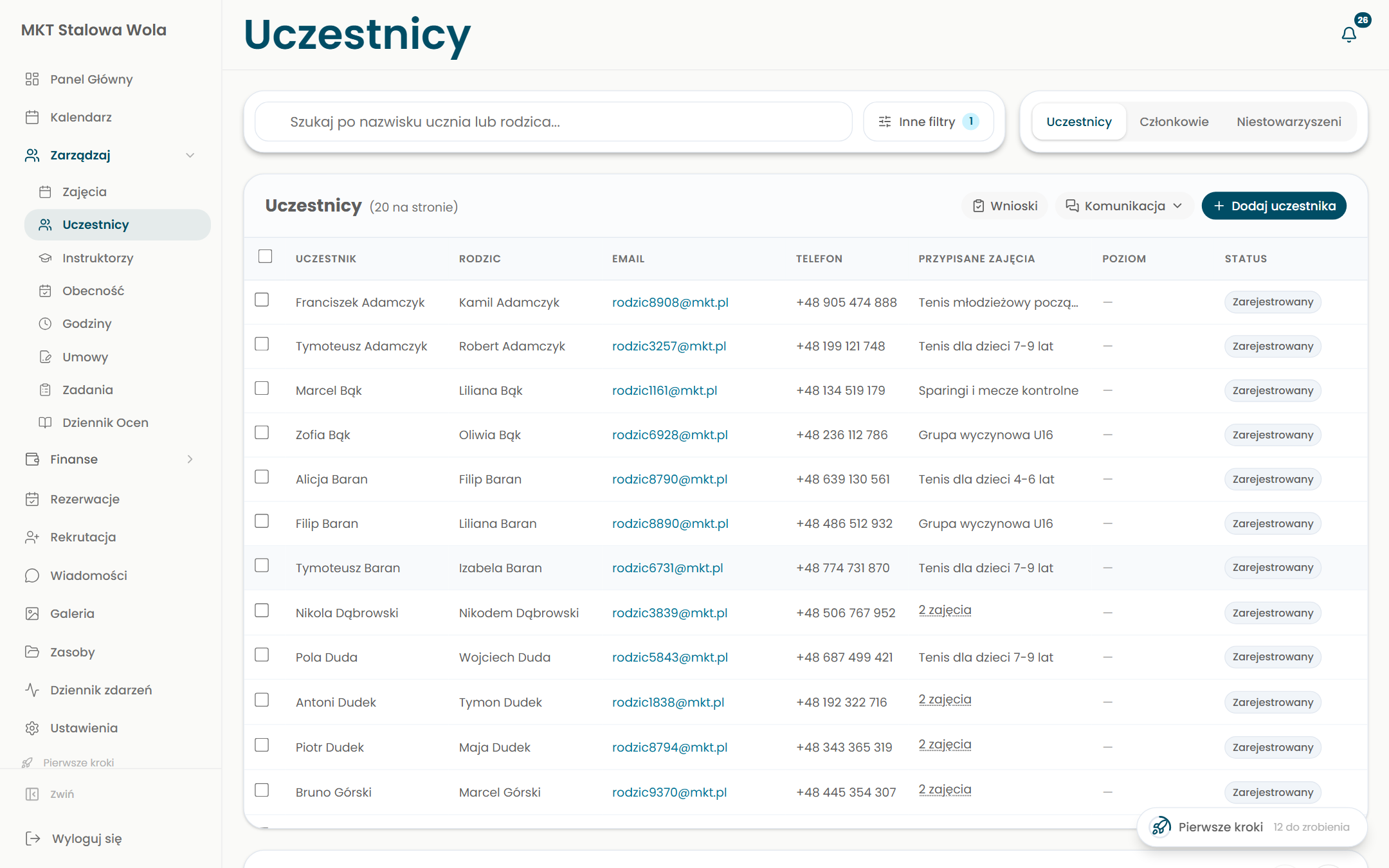
Students and parents in one place
A participant with their parent, contact details, assigned classes, level, and status. With search, filters, and quick messaging.
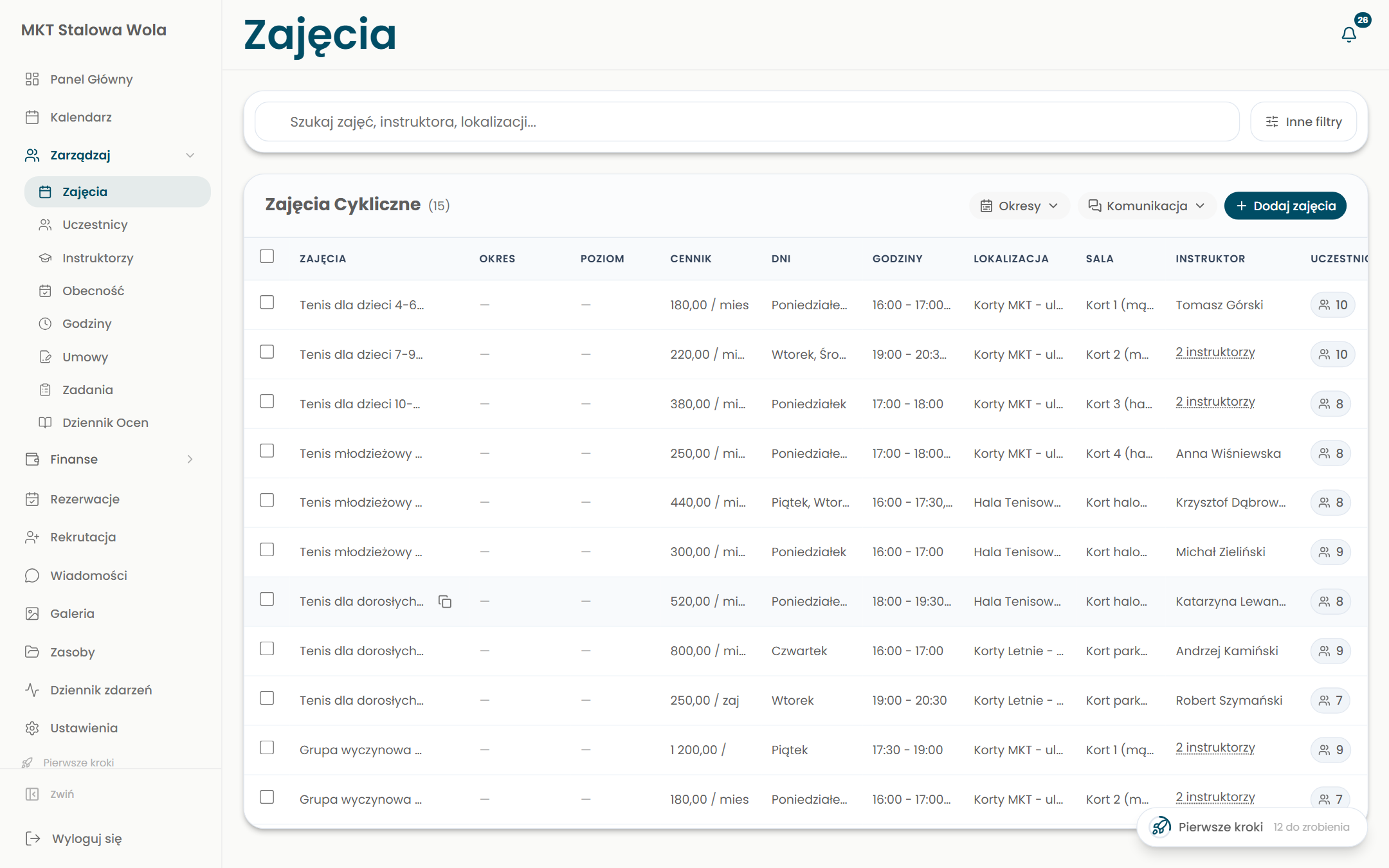
Classes and groups under control
All classes with their groups, levels, instructors, and rooms. From here you manage enrollment, attendance, and billing.
// highlights
The details that make the difference
iOS and Android mobile app
Owner, instructor, and parent have the facility in their phone.
Online payments via Stripe
The parent pays by card, payments post automatically.
Invoicing and reminders
Invoices, billing, and arrears reminders from the panel.
Roles and permissions
Separate panels for the owner, the instructor, and the parent.
Onboarding and adoption
First steps and an adoption metric guide the facility through onboarding.
Everything linked
Participant, classes, attendance, and payment in one flow.
Running a facility across many tools?Bring it together into one system.
Classes, enrollment, attendance, and payments can live in one place.
Describe it in a few sentences and we will tell you where to start and whether we can help.